Premium auto care runs on Revive.
Only established, high-quality, vetted businesses are here.
Strongest coverage: the New York Tri-State area.
HOW MEMBERSHIP WORKS
The Gold Standard in Auto Care.
Every business on Revive is carefully reviewed before joining our network. Members must meet and maintain strict standards for workmanship, customer service, transparency, and warranty support.
From routine services to major ones, Revive connects people to high-quality auto care businesses committed to doing the job right.
Three ways businesses get in.
01
Invited by Revive
We find the work, and we send the invitation.
02
Invited by a member
A member business puts a name forward and shares an invite code. We review the operation before an invite goes out.
03
By request
Any business can ask. We review the operation before an invite goes out.
Are you a business looking to join? Request an invite
No business takes a booking until it passes review.
Review covers the work, the operation, and proof of insurance.
So by the time you open the app, the choosing is done.
Think your work clears the bar? Request an invite.THE APP
From search to service record.
Hand wash · Detail · Ceramic coating · Tint · Paint correction · Wrap & PPF · Powder coating
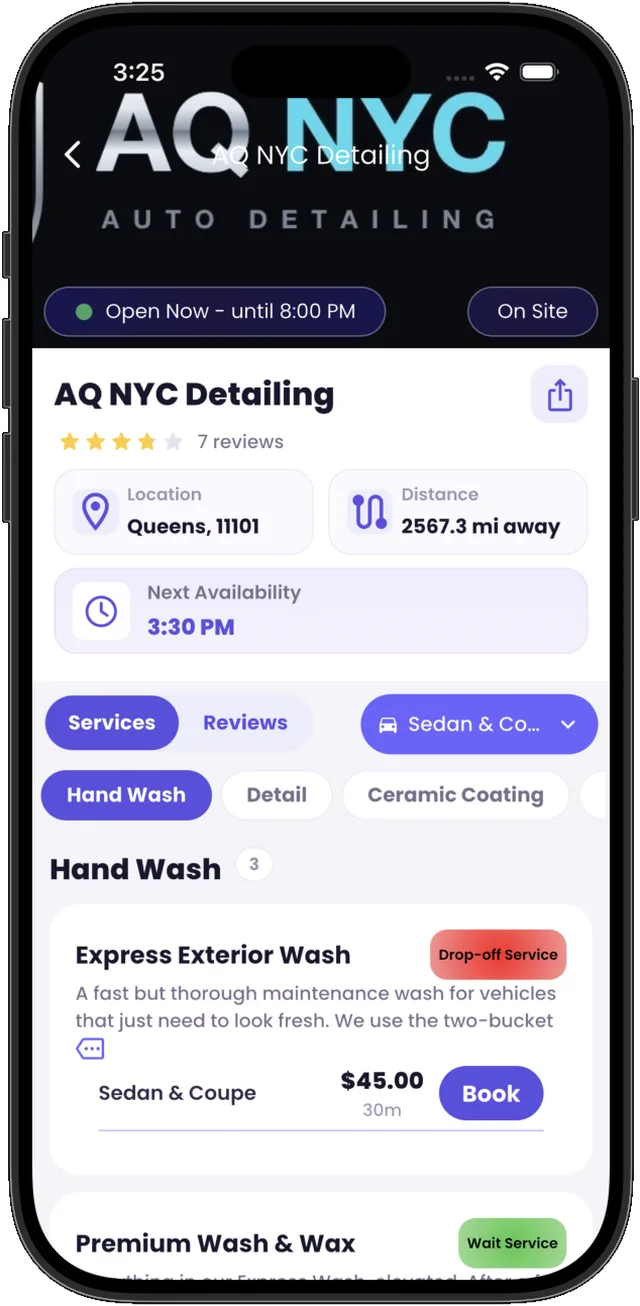
Browse the members near you
Menus, prices, ratings, and the next opening — all visible before you commit to anything.
Book real openings
Pick from the business's live calendar: morning, afternoon, or evening.
See the full price first
Service, tax, and fees itemized before you confirm. Pay with Apple Pay, Google Pay, or card.
Ratings split by service
The detail rating and the tint rating are separate numbers — you see exactly what you're booking.
Keep a real service record
Every job is logged to your vehicle in the Glovebox — dated, priced, verified, permanent.
Read reviews that happened
Only customers who completed a booking can leave one.
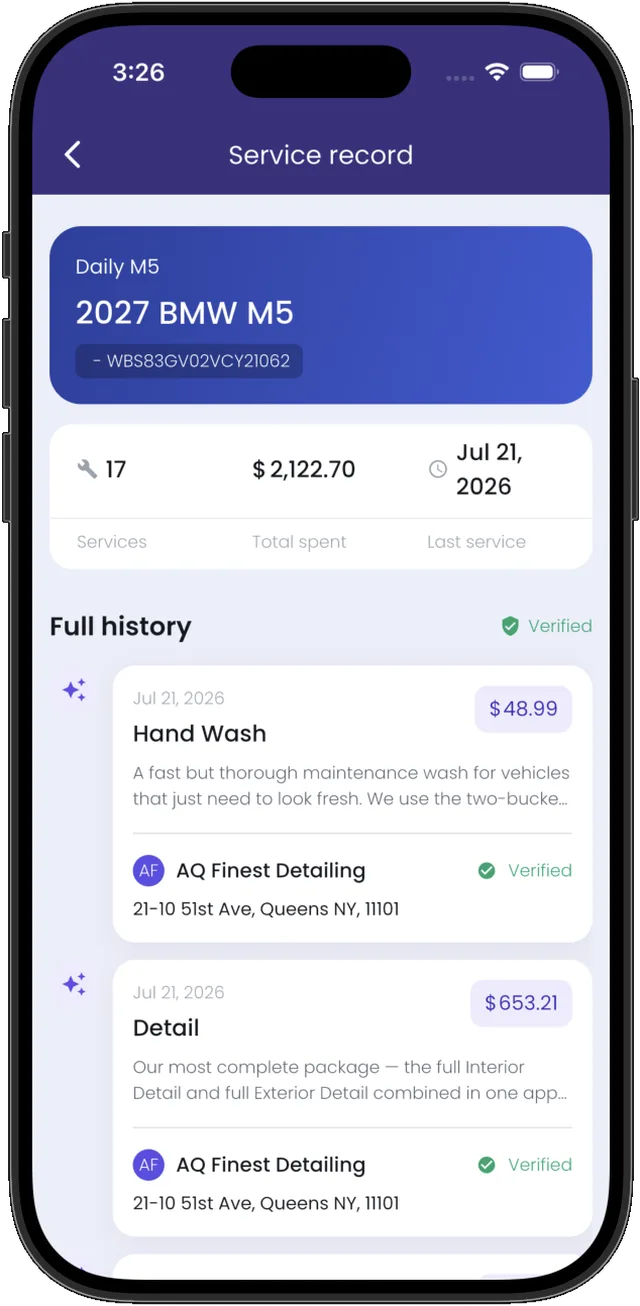
The Glovebox: Revive-certified service records.
The record follows the car.
Add a car by plate or VIN, and every booking adds a verified service record to its Glovebox: the work, the price, the business that did it.
Total spent, every service, the full history — documentation that goes with the car when you sell it.
These are certified Revive records, updated only through bookings with member businesses.
REVIVE PRO
Membership is earned.
Revive Pro is where members run the operation: calendar, bookings, payments, analytics.
Membership takes an invite — one of the three ways in. And an invite isn't a guarantee: Revive reviews each business to hold its quality standard.
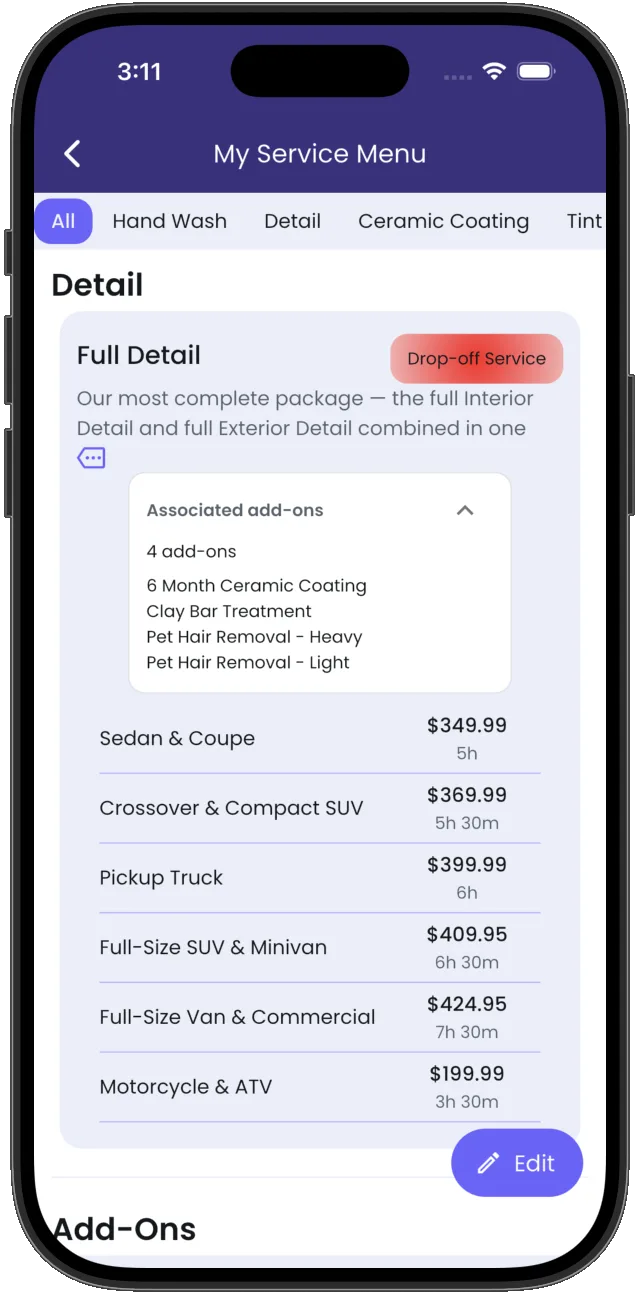
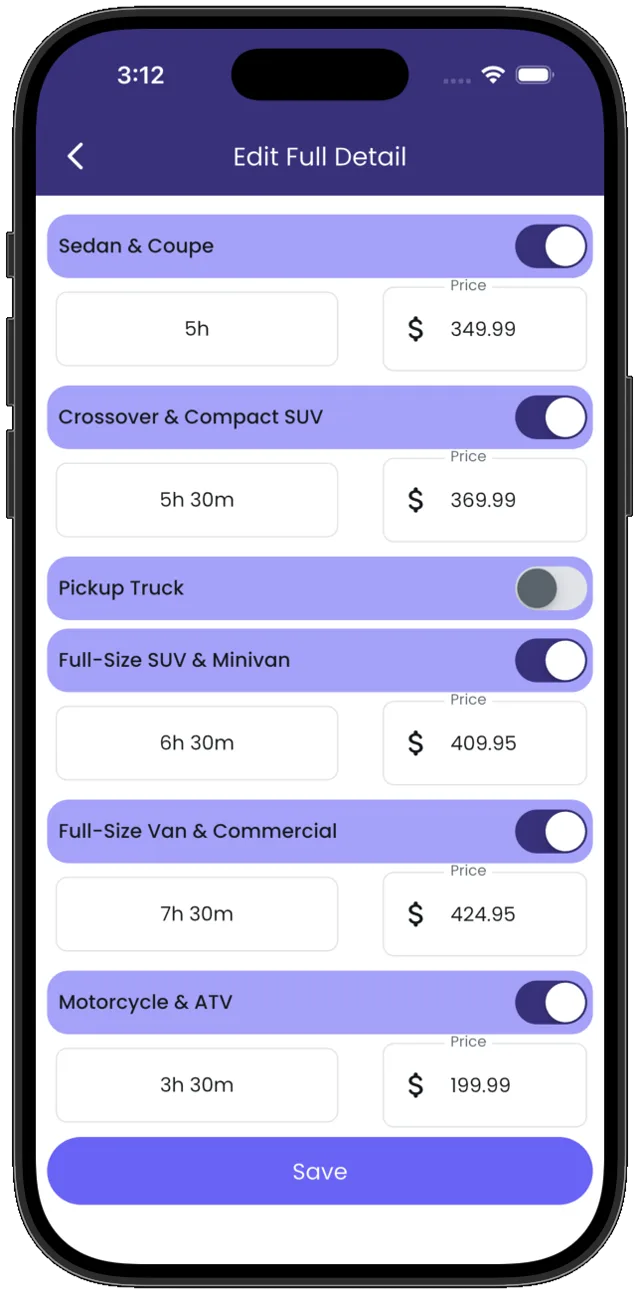
Your menu, your prices
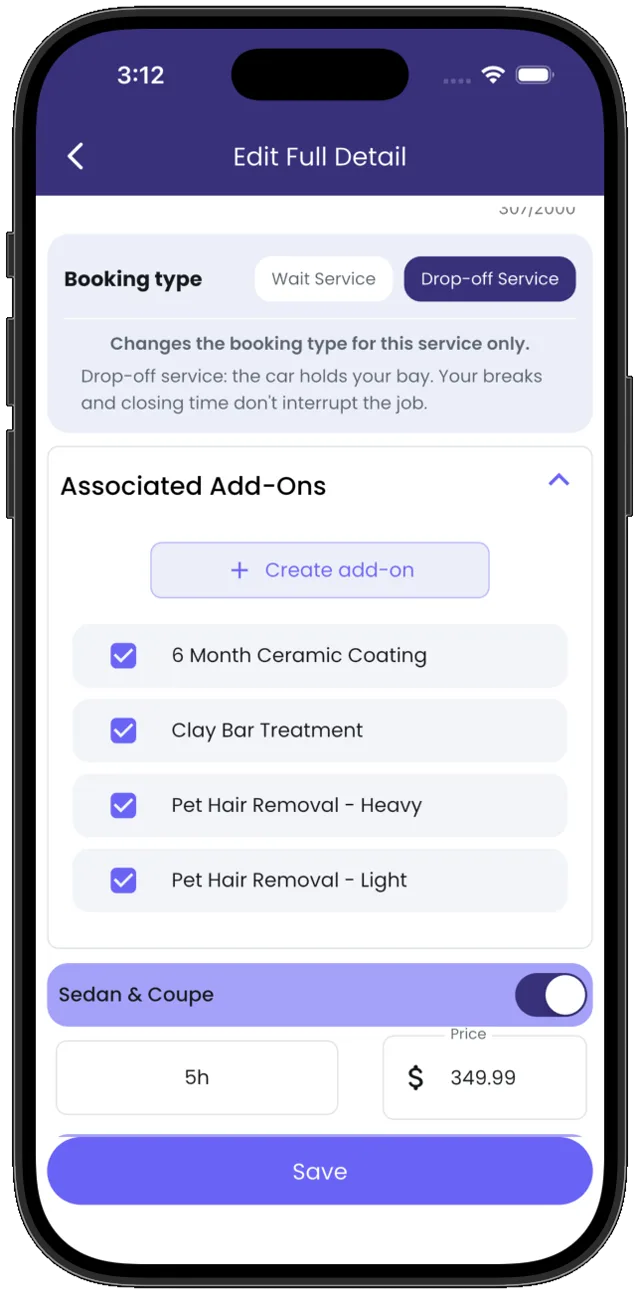
Build every service yourself: name it, price it, time it. Each vehicle class gets its own price and duration, add-ons link to the services they belong with, and any service can run as drop-off or wait.
Slots that fit the shop
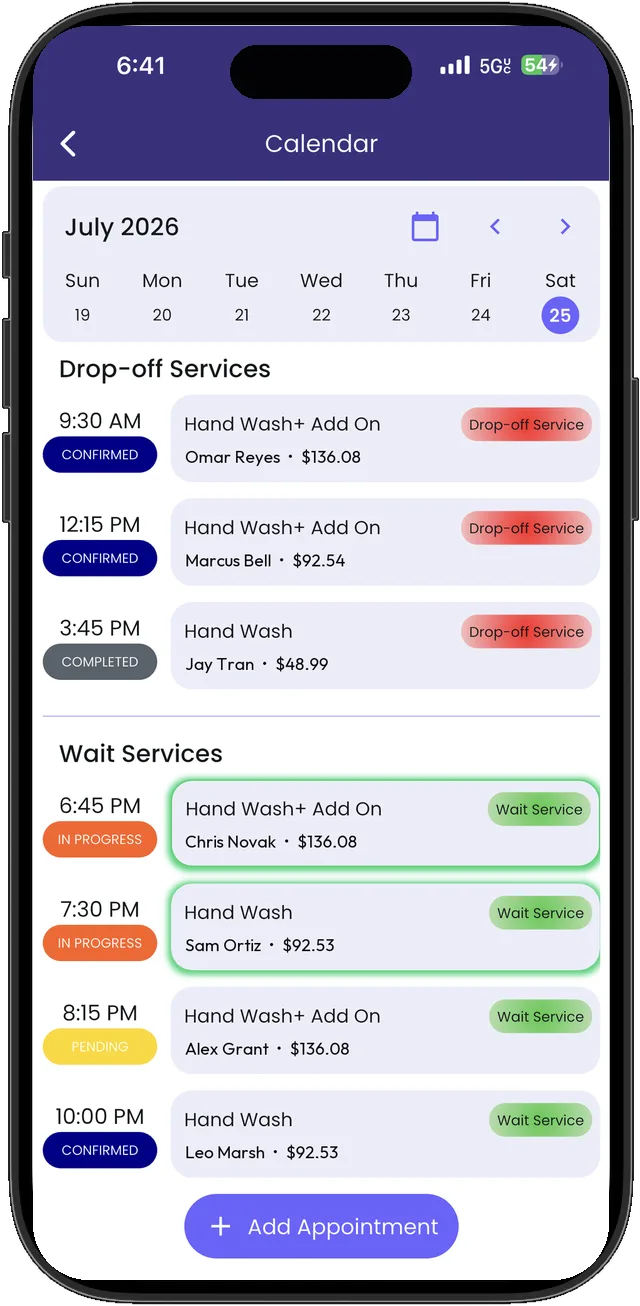
Set how many bookings each slot holds, then split them between drop-offs and waits. Four bays? Give three to drop-offs and keep one open for the customer who waits.
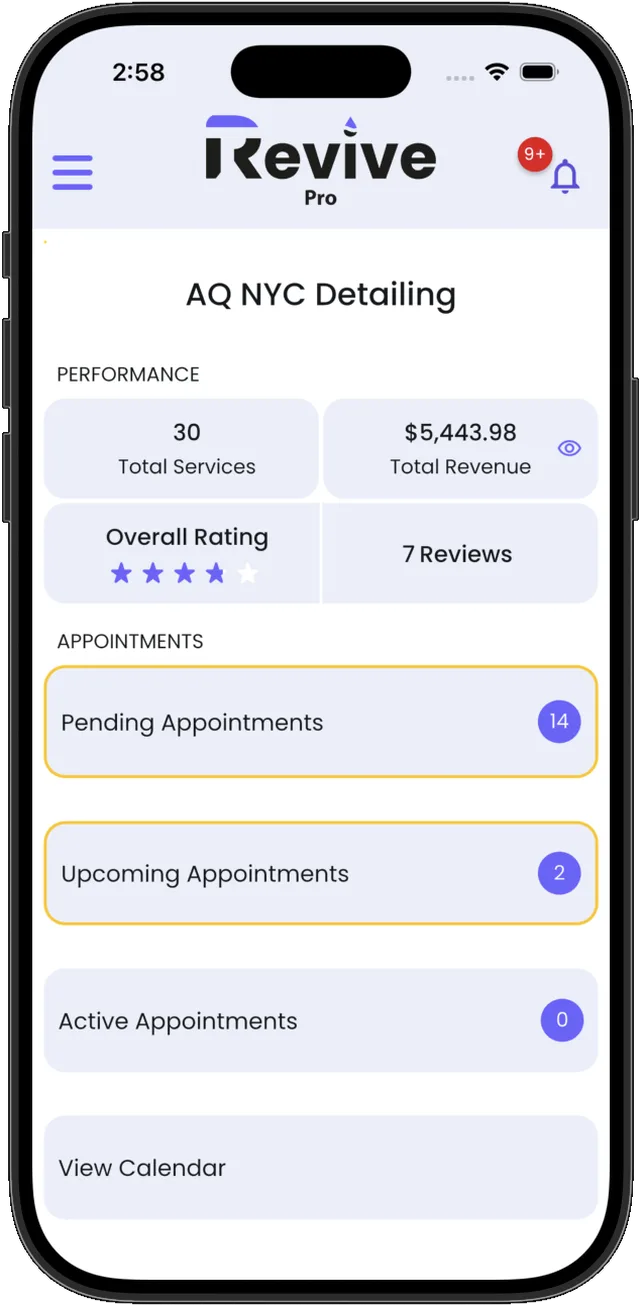
The dashboard keeps the day's numbers and appointments on one screen, and a live day calendar runs in the shop.
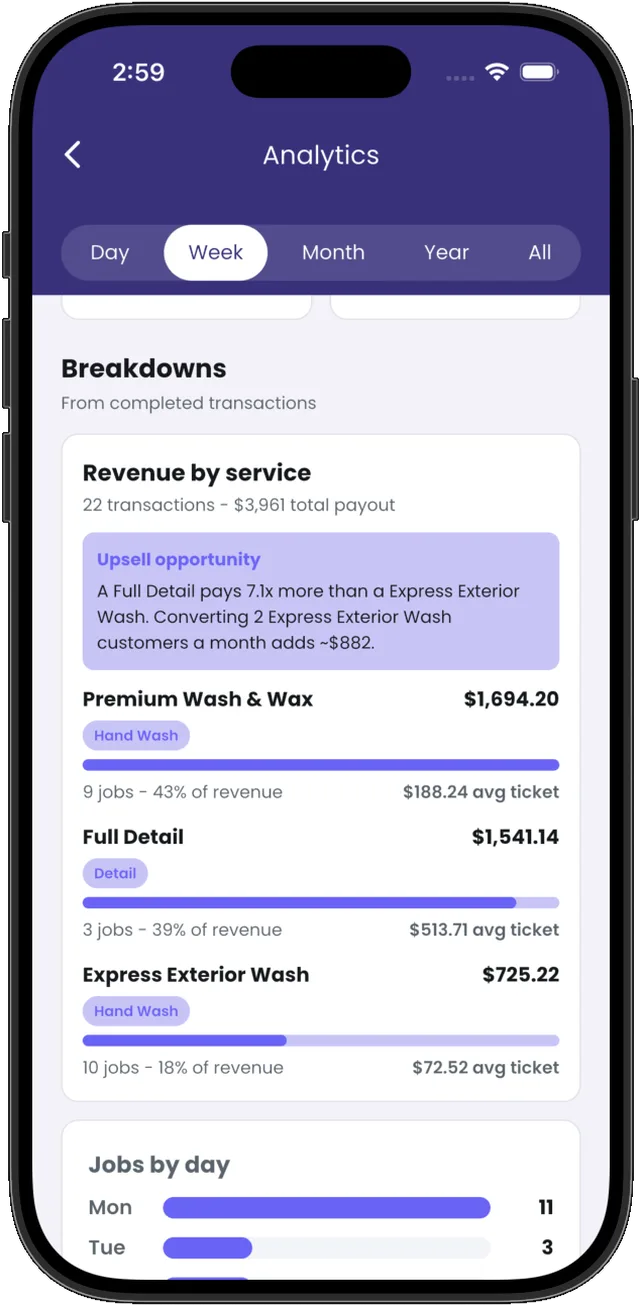
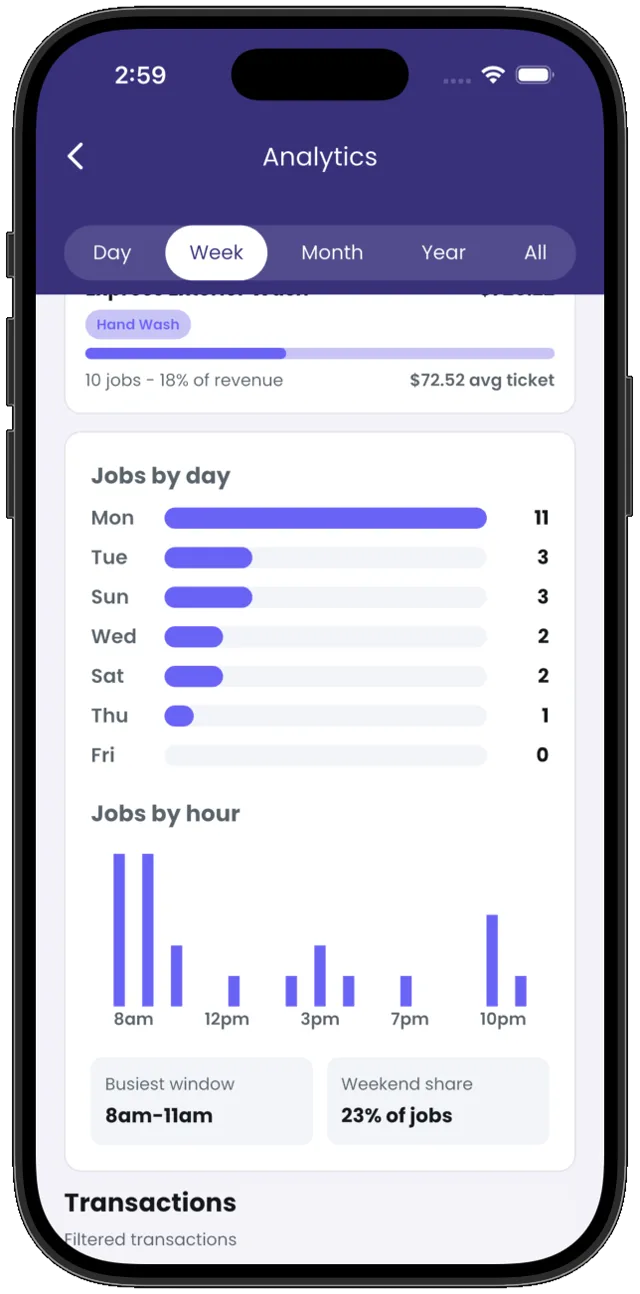
Numbers worth reading
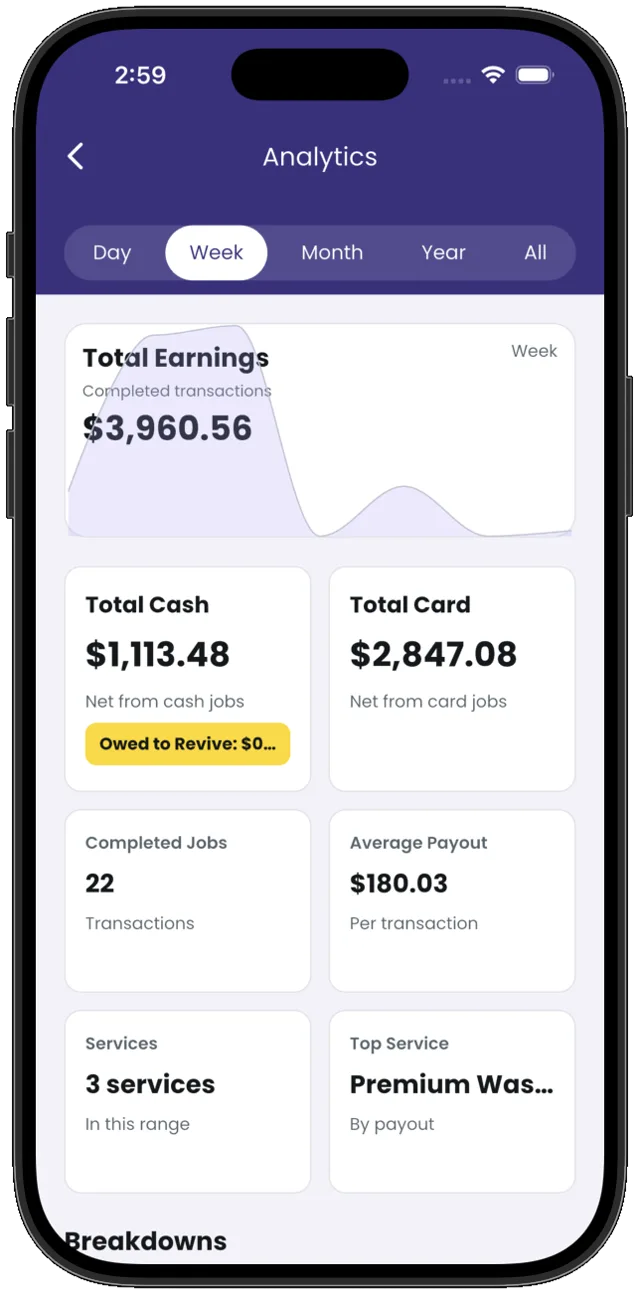
Pick the frame — day, week, month, year, or all time. Every frame reads the same way: earnings, cash against card, completed jobs, average payout, total services, top service.
Then the breakdowns: revenue by service with job counts and average ticket, every transaction listed, and your days mapped — which dates fill, which hours run busiest.
Client texts, sent for you
Accepted, canceled, started, finished — every step texts the client. Reminders go out twice: two hours before, then one.
Your calendar, on your terms
Hours, breaks, and pause. Bookings only land where you allow them.
Payments that settle themselves
Card payments land in your Stripe account, every fee itemized. Sales tax and cash are your call.
Managers who run the day
Add a manager to accept, complete, and edit the menu. Your revenue stays yours to see.
Your booking link
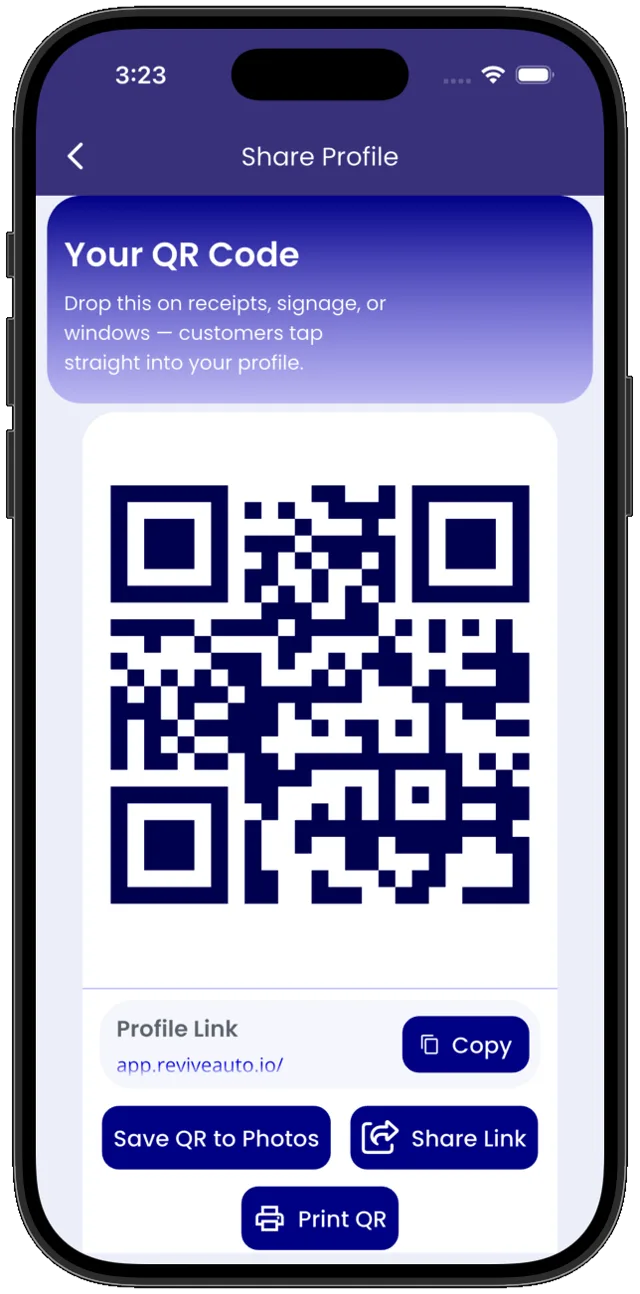
One link and a QR code — for the bio, the receipt, the window. Customers tap straight into your profile.
The link opens your own booking site: your menu, your prices, your reviews, and the next opening.
Request an invite
Tell us about the operation. If it's a fit, a code follows.
Get the app.
Free to download. Browse without an account; book when you're ready.
Download on the App StoreAndroid is on the way.
Run an auto care business? Get Revive Pro